


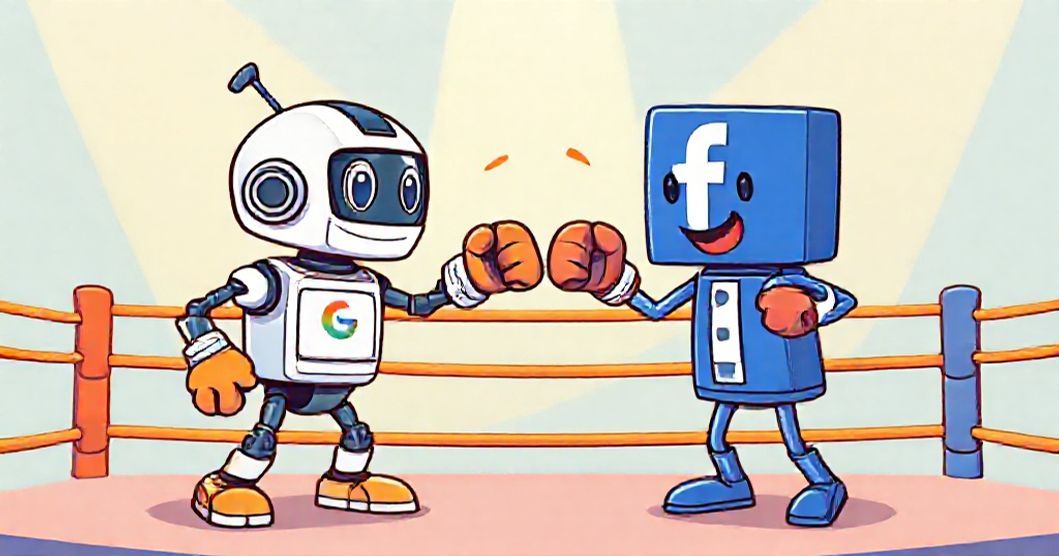
The Question Every Marketer Asks:
Should I invest in Google Ads or Facebook Ads? The answer isn't simple - but by the end of this guide, you'll know exactly which platform (or both) fits your business goals, budget, and customer journey.
You're staring at your marketing budget spreadsheet. You have $2,000 to spend this month. Should you put it all into Google Ads? Facebook Ads? Split it 50/50?
This decision keeps marketers up at night because there's no universal "right answer." Google Ads and Facebook Ads (now Meta Ads) serve fundamentally different purposes in your marketing funnel.
Here's what you'll learn in this comprehensive comparison:
- The core difference between Google Ads and Facebook Ads (hint: intent vs discovery)
- Side-by-side cost comparison: CPC, conversion rates, and ROI benchmarks
- Which platform wins for B2B, ecommerce, local businesses, and service providers
- How to track both platforms in one unified dashboard
- When to use both platforms simultaneously (the winning strategy for most businesses)
The Fundamental Difference: Intent vs Discovery
Before we dive into costs, targeting, and ROI, you need to understand the core philosophical difference between these platforms:
🔍 Google Ads = Intent-Based Marketing
Google Ads captures people who are actively searching for your product or service right now.
Example: Someone types "best CRM software for small business" into Google. They have high intent - they're researching solutions and ready to buy.
Customer mindset: "I have a problem and I'm looking for a solution NOW."
👥 Facebook Ads = Discovery-Based Marketing
Facebook Ads shows your product to people who match your target audience but aren't necessarily looking for you.
Example: A 35-year-old small business owner scrolling Instagram sees your CRM ad because Facebook knows they fit your ideal customer profile.
Customer mindset: "I didn't know I needed this, but now I'm interested."
This fundamental difference drives everything else: costs, conversion rates, targeting strategies, and which platform you should prioritize.
Cost Comparison: Google Ads vs Facebook Ads in 2025
Let's cut to what you really want to know: Which platform is cheaper?
The answer: Facebook Ads has lower cost-per-click (CPC), but Google Ads often delivers better return on ad spend (ROAS) due to higher intent. Here's the breakdown:
| Metric | Google Ads | Facebook Ads |
|---|---|---|
| Average CPC | $1 - $2 (Search) $0.50 - $1 (Display) |
$0.50 - $2.00 |
| High-Competition CPC | $6 - $50+ (Legal, Insurance, Finance) | $3 - $6 (same industries) |
| Average Conversion Rate | 3.75% (Search) 0.77% (Display) |
0.9 - 1.9% |
| Average Cost Per Acquisition | $48 - $56 | $55 - $80 |
| Minimum Daily Budget | $20 - $50 (to be competitive) | $5 - $10 (can start smaller) |
| Best for Small Budgets | Limited impact under $500/month | Can work with $150 - $300/month |
💡 Key Insight: Facebook Ads is cheaper to test and easier for beginners with small budgets. Google Ads costs more upfront but converts at 2-4x higher rates due to search intent.
For businesses with under $500/month budget, start with Facebook Ads. For businesses with $1,500+ budget, test both platforms.
Targeting Capabilities: Who Wins?
Both platforms offer powerful targeting, but they excel in different areas:
Google Ads Targeting Strengths
- Keyword targeting: Reach people based on exact search queries ("buy running shoes online")
- Search intent signals: Target users at different funnel stages (research vs purchase)
- Geographic precision: Target by zip code, radius around location, or exclude areas
- Device targeting: Bid higher for mobile vs desktop based on performance
- Dayparting: Show ads only during business hours or peak conversion times
- In-market audiences: Google knows who's actively shopping for products in your category
Google Ads wins when: You need to capture demand that already exists. Someone searching "emergency plumber near me" at 11 PM has high intent - Google delivers that customer to you.
Facebook Ads Targeting Strengths
- Detailed demographics: Age, gender, education level, job title, relationship status
- Interest targeting: Reach people who like specific pages, topics, or activities
- Behavioral targeting: Target based on purchase behavior, device usage, travel patterns
- Life event targeting: New parents, recently engaged, new movers, birthdays
- Custom audiences: Upload customer emails, phone numbers, or website visitors
- Lookalike audiences: Find new customers similar to your best existing customers
- Connection targeting: Target friends of people who like your page
Facebook Ads wins when: You know exactly who your customer is demographically. Targeting "female entrepreneurs aged 30-45 interested in productivity tools" is incredibly precise on Facebook.
Ad Format Comparison
Google Ads Formats
- Search Ads: Text-based ads showing above Google search results (Highest Intent)
- Display Ads: Image/video ads on 2M+ websites in Google Display Network
- Shopping Ads: Product images with pricing for ecommerce (Best for Ecommerce)
- Video Ads: YouTube ads (skippable, non-skippable, bumper ads)
- Performance Max: AI-driven campaigns across all Google properties
- Local Service Ads: "Google Guaranteed" badge for service businesses
- Note: Google has deprecated call-only ads in 2026, replacing them with responsive search ads featuring call assets
Facebook Ads Formats
- Image Ads: Single image in feed (Facebook, Instagram, Messenger)
- Video Ads: Short-form or long-form video content (Highest Engagement)
- Carousel Ads: Swipeable gallery of up to 10 images/videos (Great for Ecommerce)
- Stories Ads: Full-screen vertical ads on Instagram/Facebook Stories
- Collection Ads: Mobile-optimized product catalogs
- Lead Ads: Capture emails without leaving Facebook (B2B Favorite)
- Dynamic Ads: Automatically show products from your catalog based on user behavior
Which Platform Wins for Your Business Type?
Not all businesses should prioritize the same platform. Here's the breakdown by business model:
🛒 Ecommerce Businesses
Winner: Both (Different Stages)
- Google Shopping Ads: 1.91% average conversion rate - captures high-intent product searches
- Facebook Dynamic Ads: 0.89% conversion rate - excellent for retargeting and awareness
- Strategy: Use Google Shopping for new customer acquisition, Facebook for retargeting cart abandoners and building awareness
🏢 B2B / SaaS Companies
Winner: Google Ads (Slight Edge)
- Google Ads: Target high-intent searches like "best project management software for agencies"
- Facebook Ads: Excellent for reaching decision-makers by job title and building thought leadership
- Strategy: Google Ads for demo requests, Facebook for top-of-funnel content and retargeting
🏪 Local Businesses (Restaurants, Gyms, Salons)
Winner: Facebook Ads
- Facebook Ads: Target by radius (1-5 miles), reach locals scrolling on mobile
- Google Ads: Works for high-intent searches ("pizza delivery near me") but limited inventory
- Strategy: Facebook for brand awareness and promotions, Google Local Service Ads for urgent needs
⚡ Emergency Services (Plumbers, Lawyers, Locksmiths)
Winner: Google Ads (Dominates)
- Google Ads: When someone's pipe bursts at midnight, they're searching Google, not scrolling Facebook
- Facebook Ads: Can build awareness but won't capture emergency demand
- Strategy: Invest heavily in Google Search Ads and Local Service Ads, skip Facebook unless doing brand building
🎨 Creative Services (Designers, Photographers, Consultants)
Winner: Facebook Ads
- Facebook Ads: Visual portfolio showcasing, target by interests and demographics
- Google Ads: Limited search volume for specific creative services
- Strategy: Facebook for portfolio ads and retargeting, skip Google unless you have a specific niche with search demand
The Data Discrepancy Problem (And How to Fix It)
Here's a frustration every marketer faces when running both platforms:
⚠️ The Problem: Google Ads reports 47 conversions. Facebook Ads reports 62 conversions. Google Analytics 4 shows 38 conversions. Which number is correct?
Why the numbers don't match:
- Different attribution models: Facebook uses last-click, Google uses data-driven attribution, GA4 uses cross-channel last click
- Attribution windows: Facebook counts conversions up to 7 days after click, Google Ads counts 90 days
- Cross-device tracking: Facebook can track users across devices through login, Google Analytics cannot (without User-ID implementation)
- iOS 14.5+ privacy changes: Facebook lost significant tracking ability, leading to under-reporting
The solution: Use a unified marketing dashboard that integrates Google Ads, Meta Ads, and GA4 data in one view. This allows you to:
- Compare performance side-by-side with consistent attribution models
- See which platform drives better cost-per-acquisition (CPA)
- Allocate budget based on true ROI, not platform-reported metrics
- Identify which platform assists conversions vs which gets last-click credit
The Winning Strategy: Use Both Platforms (Here's How)
For most businesses with marketing budgets over $1,500/month, the answer isn't "Google Ads or Facebook Ads" - it's "Google Ads and Facebook Ads."
Here's the full-funnel strategy that works:
🎯 Top of Funnel (Awareness)
Use: Facebook Ads
- Target cold audiences with educational content, blog posts, and brand stories
- Build custom audiences of website visitors and engaged users
- Goal: Introduce your brand to people who don't know they need you yet
- Budget allocation: 30-40% of total ad spend
🔍 Middle of Funnel (Consideration)
Use: Both Platforms
- Facebook: Retarget website visitors with case studies, testimonials, comparison content
- Google Display: Show ads to people who visited your site as they browse other websites
- Goal: Nurture warm leads who are evaluating options
- Budget allocation: 20-30% of total ad spend
💰 Bottom of Funnel (Conversion)
Use: Google Search Ads (Primary) + Facebook Retargeting
- Google Search: Capture high-intent keywords ("buy X", "X pricing", "X vs competitor")
- Facebook: Retarget cart abandoners and people who viewed pricing pages
- Goal: Convert ready-to-buy customers
- Budget allocation: 40-50% of total ad spend
Sample Budget Allocation ($3,000/month)
| Platform | Campaign Type | Budget | Goal |
|---|---|---|---|
| Facebook Ads | Cold traffic + content | $900 | Build awareness, grow audience |
| Facebook Ads | Retargeting | $600 | Nurture warm leads |
| Google Ads | Search (high-intent keywords) | $1,200 | Capture demand, drive conversions |
| Google Ads | Display retargeting | $300 | Stay top-of-mind |
How to Track Google Ads and Facebook Ads in One Dashboard
If you're running campaigns on both platforms, switching between Google Ads Manager, Meta Ads Manager, and Google Analytics wastes hours every week.
The manual approach:
- Log into Google Ads → Export campaign data → Copy to spreadsheet
- Log into Meta Ads Manager → Export campaign data → Copy to same spreadsheet
- Log into Google Analytics 4 → Check conversion attribution → Manually reconcile
- Build charts in Excel/Google Sheets to compare platforms
- Repeat weekly (or daily for large accounts)
Time cost: 3-5 hours per week, every week.
The automated approach: Use a unified marketing dashboard like 1ClickReport that connects both platforms automatically.
What You Can See in One View:
- Side-by-side performance: Compare Google Ads CPC vs Facebook Ads CPC, conversion rates, ROAS
- Budget pacing: See if you're on track to hit monthly spend goals across both platforms
- Campaign health: Identify which campaigns are driving positive ROI and which need optimization
- Attribution insights: Understand how Google and Facebook work together in your funnel
- Automated alerts: Get notified when CPC spikes, budgets run low, or conversions drop
Setup takes 60 seconds: Connect your Google Ads account, connect your Meta Ads account, connect GA4. Done. Your dashboard updates automatically every day. Running Microsoft Ads too? You can add that to the same unified view.
Quick Decision Framework: Which Platform Should You Start With?
Still unsure? Use this decision tree:
Start with Google Ads if:
- ✅ People actively search for your product/service on Google
- ✅ You have a budget of $1,000+ per month
- ✅ You need leads/sales NOW (not building long-term brand)
- ✅ Your business model is emergency services, high-consideration B2B, or local services with search demand
- ✅ You have a mature website with good conversion optimization
Start with Facebook Ads if:
- ✅ Your budget is under $500 per month
- ✅ Your product is visual (fashion, food, design, lifestyle)
- ✅ You can clearly define your target customer demographics
- ✅ You're building brand awareness or launching a new product
- ✅ Your product solves a problem people don't know they have
- ✅ You have strong creative assets (images, videos)
Final Recommendation: The Best Strategy for 2025
After analyzing thousands of accounts across both platforms, here's the truth:
The best-performing businesses don't choose between Google Ads and Facebook Ads - they use both platforms strategically based on the customer journey.
- ✅ Use Facebook Ads to build awareness and introduce your brand to cold audiences
- ✅ Use Google Ads to capture high-intent demand when people are ready to buy
- ✅ Use retargeting on both to stay top-of-mind and recover abandoned conversions
- ✅ Track everything in one dashboard to optimize budget allocation based on real ROI
If you're just starting out and can only afford one platform:
- Budget under $500/month: Start with Facebook Ads (lower barrier to entry, easier testing)
- Budget $500-$1,500/month: Start with Google Ads if you have proven search demand, Facebook Ads if you're building awareness
- Budget over $1,500/month: Run both platforms from day one with proper tracking
Ready to Track Google Ads and Facebook Ads in One Dashboard?
Stop wasting hours switching between platforms. Connect Google Ads, Meta Ads, GA4, and Search Console in 60 seconds.
Start Your Free Trial7-day free trial • No credit card required • Cancel anytime
Frequently Asked Questions
Which is better: Google Ads or Facebook Ads?
Neither platform is universally better - it depends on your business goals. Google Ads excels for high-intent searches (people actively looking for your product), while Facebook Ads are better for discovery and brand awareness (reaching people who don't know they need your product yet). Most successful businesses use both platforms strategically based on their customer journey.
Is Google Ads more expensive than Facebook Ads?
Google Ads typically has higher cost-per-click (CPC) - averaging $1-$2 for search ads and up to $50+ for competitive industries like legal or insurance. Facebook Ads average $0.50-$2.00 CPC. However, Google Ads often delivers higher conversion rates due to search intent, making the cost-per-acquisition comparable or better despite higher CPCs.
Can I run Google Ads and Facebook Ads at the same time?
Yes, running both platforms simultaneously is the recommended strategy for most businesses. Use Google Ads to capture high-intent search traffic (bottom of funnel) and Facebook Ads for awareness and retargeting (top and middle of funnel). Track both platforms in a unified dashboard to compare ROI and optimize budget allocation between channels.
Which platform has better targeting: Google Ads or Facebook Ads?
Facebook Ads offers superior demographic and interest-based targeting (age, gender, interests, behaviors, life events), while Google Ads excels at intent-based targeting through keywords and search queries. Facebook knows who people are; Google knows what people want right now. Choose based on whether you're targeting specific demographics or specific needs.
How do I track Google Ads and Facebook Ads performance together?
Use a unified marketing dashboard that integrates both platforms along with Google Analytics 4. This allows you to compare metrics like CPC, CTR, conversion rate, and ROAS side-by-side. Tools like 1ClickReport connect Google Ads and Meta Ads in one view, eliminating the need to switch between platforms or manually combine data in spreadsheets.
Which platform is better for ecommerce: Google Shopping or Facebook Dynamic Ads?
Google Shopping Ads typically perform better for direct product searches and high-intent buyers, with an average conversion rate of 1.91% compared to Facebook's 0.89%. However, Facebook Dynamic Ads excel at retargeting and showcasing products to warm audiences. For ecommerce, use Google Shopping to capture search demand and Facebook Dynamic Ads to re-engage website visitors and build awareness.
What's the minimum budget needed for Google Ads vs Facebook Ads?
Facebook Ads can start as low as $5-10 per day ($150-300/month) and still generate meaningful results for small businesses. Google Ads requires higher budgets - typically $20-50 per day minimum ($600-1,500/month) due to higher CPCs, especially in competitive industries. For businesses with limited budgets under $500/month, Facebook Ads often delivers better initial ROI.
Which platform converts better: Google Ads or Facebook Ads?
Google Ads typically achieves higher conversion rates (3-5% average) compared to Facebook Ads (0.9-1.9% average) because users are actively searching for solutions. However, Facebook Ads can achieve comparable or better cost-per-acquisition through lower CPCs and scale. Conversion rates vary significantly by industry, offer quality, and targeting sophistication.